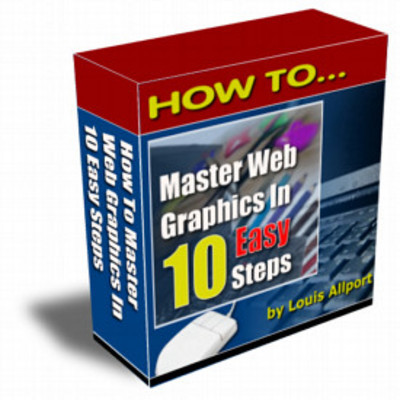
How to Master Web Graphics in 10 Easy Steps
2.50 USD

Keywords: graphics;master;tutorials;help
File Size: 1785 KBytes
Video One (3 Minutes)
In this video I\'ll reveal where to download one of the most powerful and 100 free image editors available.
--------------------------------------------------------------------------------
Video Two (25 Minutes)
Here you\'ll discover probably the most important thing of all when dealing with web graphics:
The three main graphic formats, how to convert between them, and why choosing the right graphic format can boost your online sales.
--------------------------------------------------------------------------------
Video Three (9 Minutes)
In this video I\'ll show you how, why and when to \"crop\" your graphics to make them look even better than they already do!
--------------------------------------------------------------------------------
Video Four (3 Minutes)
Here I\'ll show you how to rotate and flip your graphics just like I\'ve done with the graphic on the left.
--------------------------------------------------------------------------------
Video Five (11 Minutes)
In this video I\'ll show you the easy way to make your graphics bigger or smaller whenever you want.
This is the same powerful tactic I\'ve used with these video screen grabs to make them fit nicely on this page.
--------------------------------------------------------------------------------
Video Six (12 Minutes)
Here I talk you through why the \"color count\" of your graphics is so important, and how and why to higher or lower your color count from time to time.
-------------------------------------------------------------------------------
Video Seven (9 Minutes)
In this video I\'ll show you how to quickly and easily apply amazing effects to your graphics to help you stand out even more on the internet.
--------------------------------------------------------------------------------
Video Eight (8 Minutes)
Here I\'ll show you probably the easiest way to take \"screen grabs\" (also known as \"screen shots\") of what\'s happening on your screen ... if you create any kind of tutorials, sales pages, or ebooks you\'ll find this technique incredibly useful and surprisingly easy.
--------------------------------------------------------------------------------
Video Nine (7 Minutes)
In this video I\'ll show you a very easy way to add text to your graphics so you can have captions wherever you like.
--------------------------------------------------------------------------------
Video Ten (7 Minutes)
Here I\'ll show you a real time saver - how to do batch editing and batch conversions to graphics.
I\'ll talk you through exactly how I automatically convert thirty graphics from one format to another with just the click of a button.
--------------------------------------------------------------------------------
Video Eleven (4 Minutes)
In this video I\'ll show you how to apply some great color effects to your graphics.
--------------------------------------------------------------------------------
For PC\'s Only - Not For Mac
I must tell you that this eBook only works (to my knowledge) on PC\'s. If your computer is running Microsoft Windows, you won\'t have any trouble at all viewing this eBook successfully
Tags: web
Keywords: graphics;master;tutorials;help
File Size: 1785 KBytes
Do you want to become a reseller/affiliate and get 10.0% provision?
| Embed: |
 Widgets for your homepage Widgets for your homepage
|
How to Master Web Graphics in 10 Easy Steps
 graphics;master;tutorials;help
9119599
2.50
neilparnham
Fresh Download
Available!
graphics;master;tutorials;help
9119599
2.50
neilparnham
Fresh Download
Available!
graphics;master;tutorials;help
9119599
2.50
neilparnham
Fresh Download
Available!